chalkcast · Whiteboard recording studio
Watch your students teach it back.
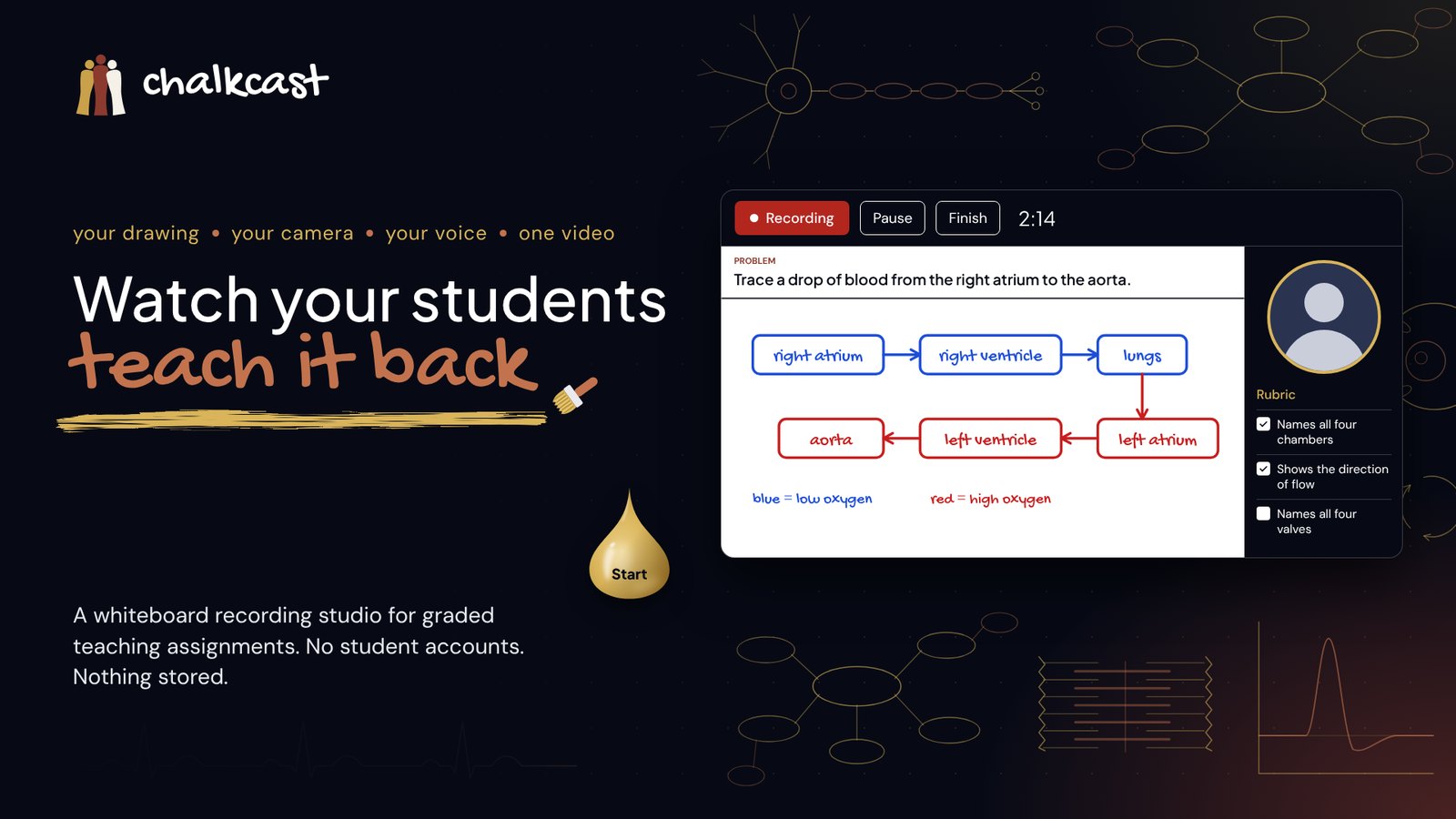
chalkcast is a whiteboard recording studio for graded teaching assignments. Students draw, talk through their reasoning on camera, and turn in a video you can grade.
What your students do
One link. Nothing to install.
01
Click the link in the assignment.
There is nothing to install and no account to make.
02
Turn on the camera and microphone.
Both are checked before the whiteboard opens.
03
Solve your problem on the whiteboard.
They draw and explain it out loud while chalkcast records the board, the camera, and their voice together.
04
Download and upload.
They download a video and a PDF of their whiteboard, and upload both to your course.
What you get
Set it up once. Use it all term.
Your problem, locked in.
You set the problem, and it stays at the top of every student's board and in their video.
Your rubric beside the board.
Students check off each item as they cover it, and their checklist comes back to you in the PDF.
A whole term in one sitting.
Enter every week at once and copy ready-made instructions straight into your course.
Extended time built in.
Each assignment comes with time-and-a-half and double-time links for students with that accommodation.
Nothing lost.
If a student closes the tab by accident, their work is waiting when they come back.
Student privacy.
chalkcast has no student accounts and stores nothing. A student's video, voice, and whiteboard stay on their own device until they upload the files to your course.
Who it is for
Instructors who ask students to explain how they got an answer, in courses like anatomy, physiology, nursing, chemistry, and math.
What you need
- Students use a computer with Chrome, Edge, or Safari, plus a camera and a microphone.
- You need a course site that accepts file uploads. Canvas Studio is optional and adds automatic captions.
What is included
- Instructor setup for unlimited assignments and students
- A student guide and an instructor setup guide
- A walkthrough video
- The accessibility notes and the privacy statement
- Email support at srennie@medmasterscollaborative.com
Questions
What instructors ask.
Do my students need accounts?+
No. They click your link.
Where do the videos go?+
Only where the student uploads them, which is your own course site. chalkcast never receives them.
Does it work on a tablet?+
chalkcast is built for mouse, touch, and stylus. It has been tested on desktop Chrome. Tablet testing is in progress, so for now we recommend a computer.
Are the videos captioned?+
chalkcast does not make captions itself. If your college has Canvas Studio, the instructions send the video through it, and Studio adds automatic captions for you to review.
Can I try it first?+
Yes. The demo gives you a sample problem and a one-minute recording.
What is your refund policy?+
Our refund and cancellation terms are in the Refund and Cancellation Policy.
Get started
Built by an anatomy and physiology professor for her own students.
Dr. Sharilyn Rennie, MedMasters Collaborative